How To Stop Advertisements On Android?
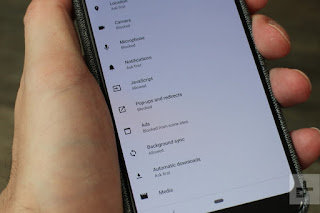
Majority of people get annoyed with pop-up advertisements on their Android. Fortunately, the blocking of pop-ups for the users of Google Chrome, Mozilla or Firefox requires just some clicks within the browser. Stopping pop-up advertisements shall lead in not only a browsing experience but will also protect you from many different types of viruses. Note: The given below information applies to all Android devices. The method of blocking pop-up advertisements on Android by using Google Chrome Firstly, go to Chrome application. Then, press on Menu symbol. It shall be towards the right side of the address bar. After that, click on Settings. Next, press on Site settings. Then, click on Pop-ups and redirects. After that, turn it on for blocking the pop-ups. Lastly, check that your Chrome browser doesn’t have pop-ups anymore. The method of blocking pop-up advertisements on Android by using Mozilla Firefox The blocking of pop-up advertisements is possible by using ...